
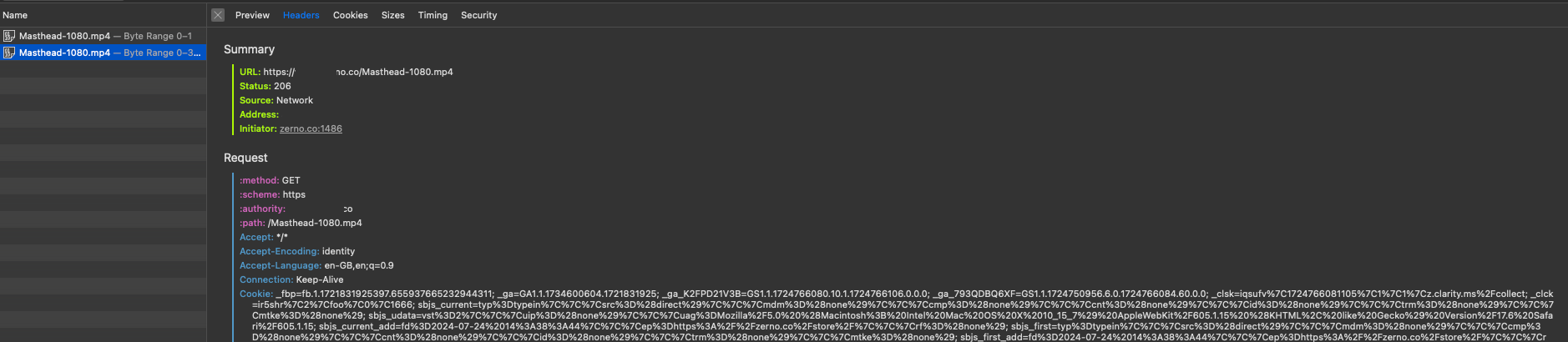
When deploying videos through Cloudflare, developers frequently run into playback issues in Safari and iOS environments. The core problem is how Cloudflare manages video file headers during caching and delivery.
The Technical Issue
Safari requires specific HTTP headers for video playback: the 206 Partial Content response and Accept-Ranges: bytes. These enable byte-range requests essential for video seeking and autoplay. Cloudflare’s caching methodology can interfere with these requirements, preventing Safari from properly handling video streams.
Five Solutions, Ranked by Success Rate
1. Alternative hosting - Host videos outside Cloudflare or disable the orange cloud proxy for video domains. The most reliable fix.
2. Web-optimize videos - Use tools like Handbrake to create Safari-compatible MP4 files with the correct codec and container settings.
3. Exclude from caching - Create Cloudflare page rules to bypass caching for MP4 files entirely.
4. Server-side configuration - Disable gzip compression for video files in your Nginx or Apache configuration:
# Nginx example
location ~* \.(mp4|webm)$ {
    gzip off;
    add_header Accept-Ranges bytes;
}
5. Verify HTML markup - Ensure proper video tag implementation with all required attributes:
<video autoplay muted loop playsinline>
  <source src="video.mp4" type="video/mp4">
</video>
The playsinline attribute is critical for iOS Safari - without it, videos won’t autoplay inline.
Start with option 1 if you can. If you’re stuck with Cloudflare on the video domain, option 3 or 4 usually does the trick.